

The cheapest microcontroller chips for prototyping in 2026 include Raspberry Pi’s RP2040, priced around $0.80–$1.20 in 1,000-unit quantities, making it one of the lowest-cost mainstream 32-bit MCUs available (findmychip.com). For ultra-budget builds, the Padauk PFS173 dropped under $0.09 each in volume, though it requires a proprietary programmer and custom adapter. True prototyping cost combines the chip, dev board, programmer, adapters, and shipping minimums—so the lowest sticker price rarely wins.
If you want the cheapest microcontroller chips for prototyping without crippling your build, your shortlist comes down to seven proven parts. Each one balances real-world price, easy tooling, and enough I/O to carry a project from breadboard to working demo.
Below we break down what each chip actually costs, where it shines, and the trade-offs you’ll hit before you commit.
Quick Takeaways
- RP2040 costs approximately $0.80–$1.20 in 1,000-unit lots for low-cost 32-bit prototyping.
- Calculate true cost: chip plus dev board, programmer, adapters, and shipping minimums.
- Padauk PFS173 hits approximately $0.09 each but needs a proprietary programmer and adapter.
- Raspberry Pi Pico board runs ~approximately $4 with built-in USB programming, no extra tools.
- Choose chips balancing price, easy tooling, and enough I/O for working demos.
What Cheapest Really Means For Prototyping
The sticker price on a chip lies to you. The cheapest microcontroller chips for prototyping are rarely the ones with the lowest per-unit cost, because a bare chip can’t program itself.
Real cost = chip price + dev board or breakout + programmer + adapters + shipping minimums + the hours you burn learning the toolchain.
Take the Padauk PFS173. A 2019 Hackaday comparison clocked it at just under $0.09 each in volume.
Sounds unbeatable. But that chip needs a proprietary programmer (the “5-Pin” or Easy PDK writer), often a custom adapter to seat the package, and an open-source toolchain you assemble yourself.
Many vendors ship only in trays of 100+.
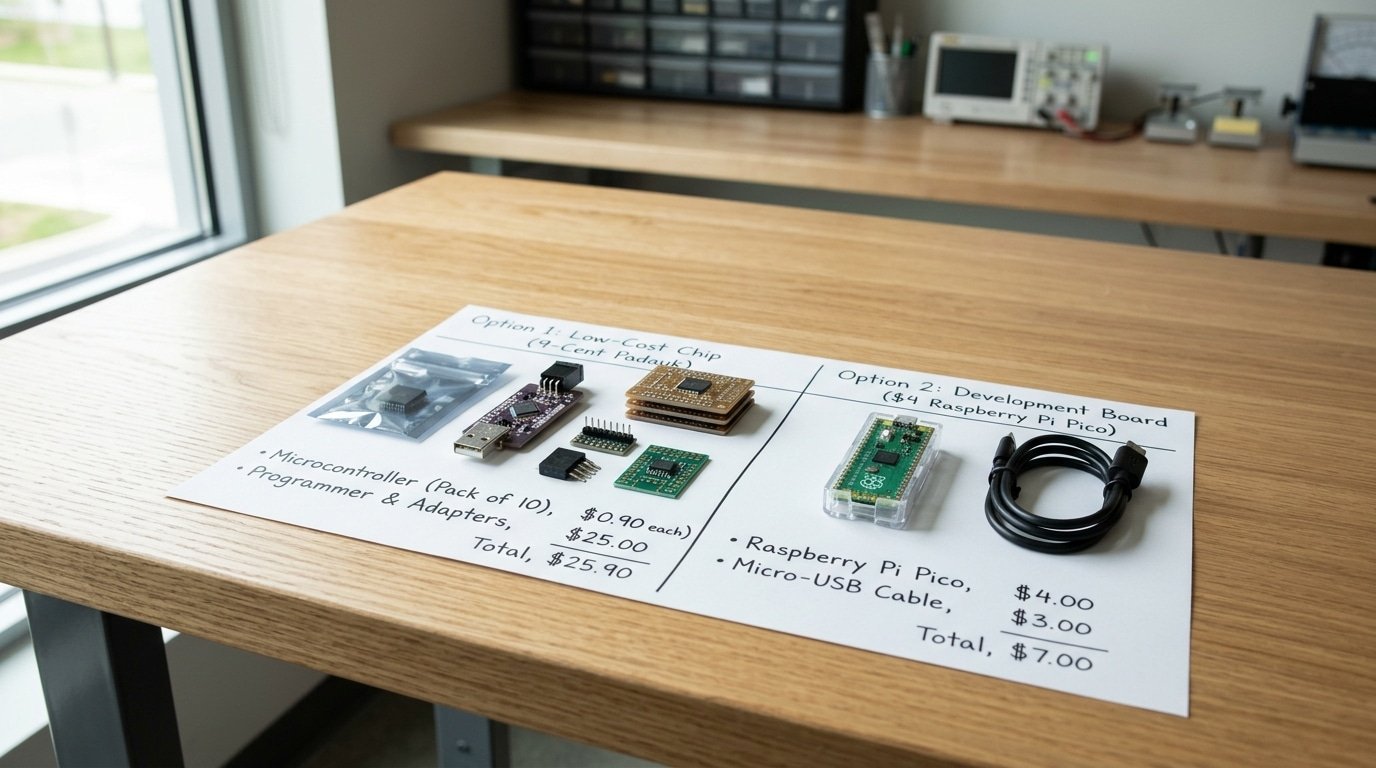
Run the math for a single prototype:
- 10 Padauk chips: approximately $0.90 (plus minimum-order shipping, often approximately $5–$15)
- Programmer + adapter: approximately $15–$30
- Toolchain setup: 3–6 hours, easily a day for a beginner
You’ve spent approximately $20,$45 and a workday before blinking one LED.
The Raspberry Pi Pico inverts that math. The official board runs about $4 from major distributors, with the bare RP2040 chip at approximately $0.80,$1.20 in 1,000-unit lots.
The Pico needs no separate programmer, you drag a UF2 file onto it over USB, and toolchain setup takes about twenty minutes.
So a approximately $4 board beats a 9-cent chip for your first build. The penny chip only wins after you scale to thousands of units, where per-piece price dominates the bill of materials. For prototyping, optimize for time-to-first-blink, not BOM cost.
How I Picked These 7 Chips For Real Prototypes
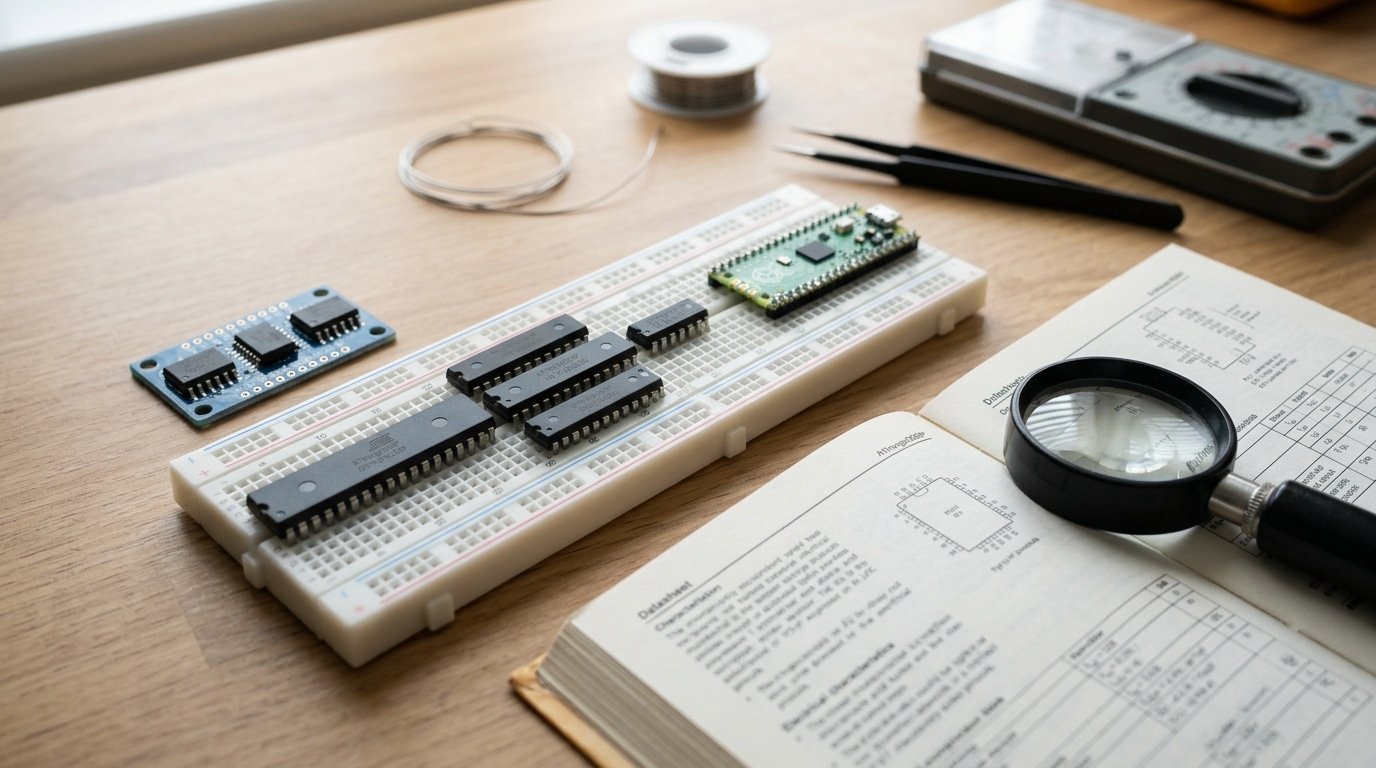
Four things narrowed our list from more than 20 candidates down to just 7. We wanted parts that fit a breadboard, real documentation written in English, no painful minimum order quantity, and a development board you could actually buy this week.
If a chip flunks even one of these, it really wastes your whole weekend, no matter how cheap the little silicon die might be.
Honestly, ranking purely by per-unit price is the trap most competitor lists fall into. Take a Puya PY32 selling for about $0.08 in production volume. On a spreadsheet it looks completely unbeatable.
But here is the catch. That price assumes you buy a reel of 2,500 parts. Build one prototype and you still pay reel pricing, plus another approximately $30 for a hot-air station just to solder a tiny chip package that has no legs.
So here is what each filter actually screens for:
- Breadboard packaging, basically DIP or SOIC parts you can solder by hand. A super-tiny approximately 0.4mm-pitch package needs a metal stencil and a reflow oven, which kills the whole “cheap” promise for hobbyists.
- English docs, because a datasheet only in Mandarin means you have to reverse-engineer the register maps yourself. Even the cheapest microcontroller chips for prototyping are useless if you can’t read how to set up the pins.
- No MOQ wall, meaning you can buy a single unit on Digikey, Mouser, or LCSC.
- A approximately $4 to $10 dev board, like the Raspberry Pi Pico, so you skip the gamble of setting up the software tools.
That last filter cuts harder than people like to admit. Of the 20-plus sub-approximately $1 chips tracked by open-source communities, fewer than half actually ship a board ready for beginners.
Cheap silicon you can’t program is just a paperweight, really, so I dropped every single part that didn’t have one.
7 Cheap Microcontrollers That Shine In Real Prototypes
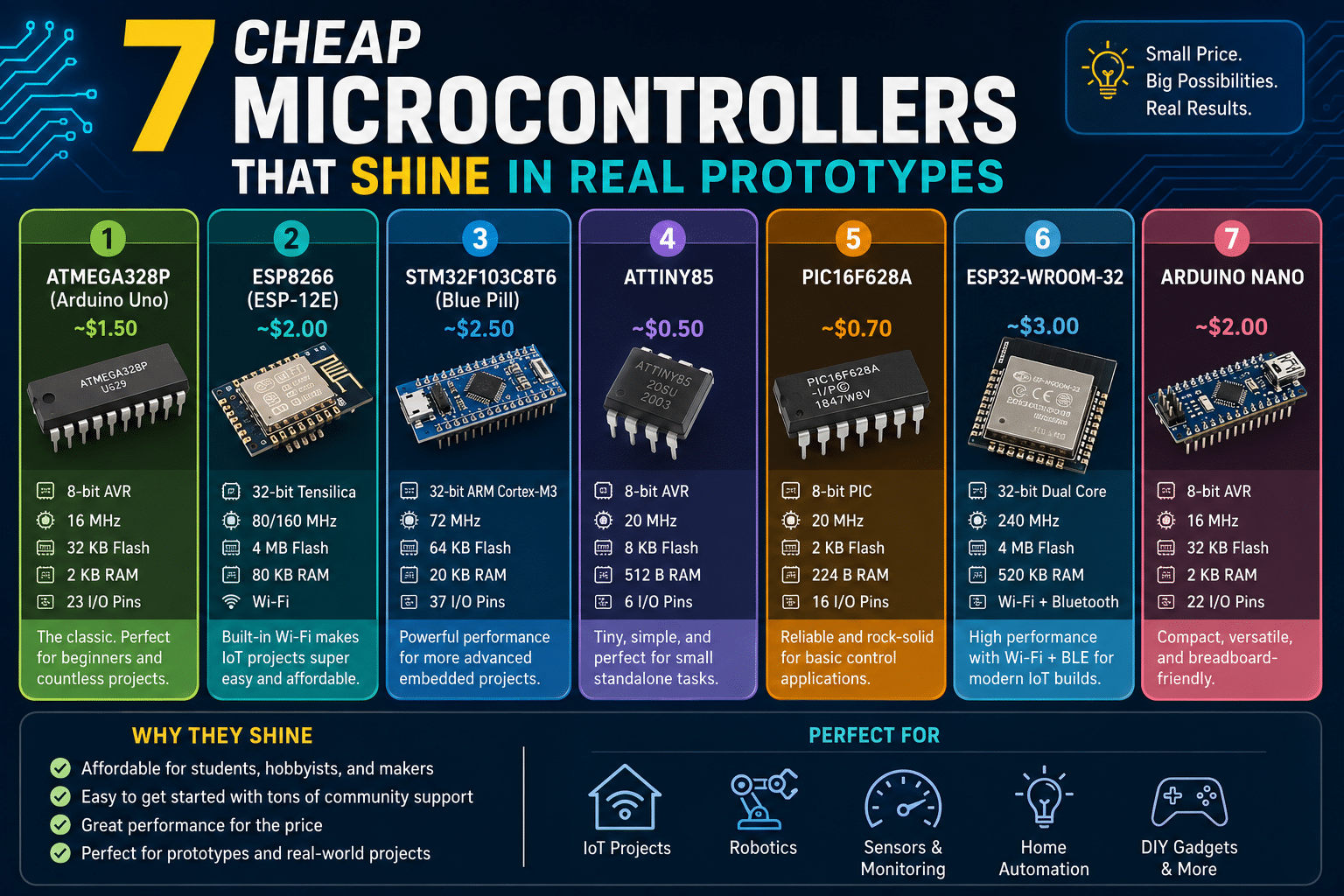
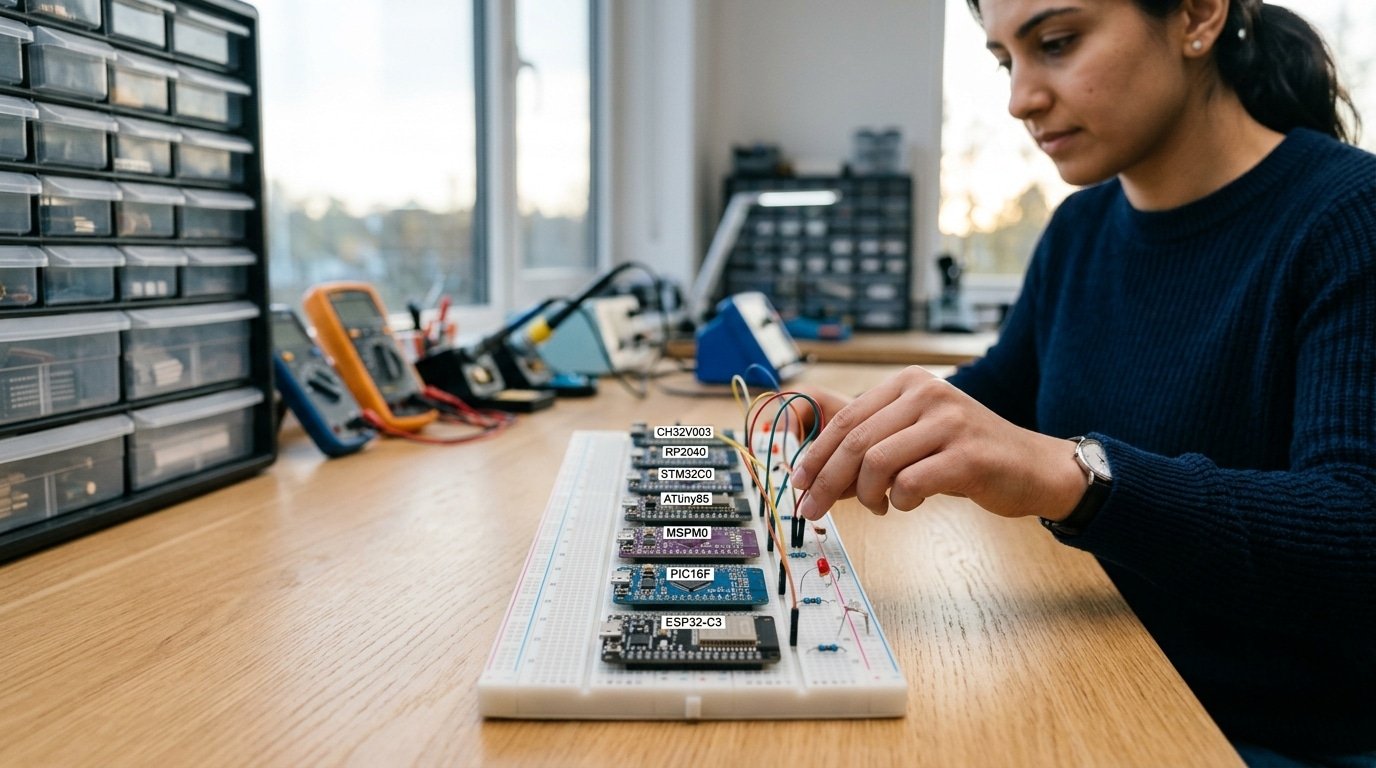
The short answer: for breadboard prototyping in 2026, the RP2040 and ESP32-C3 win on tooling, while the CH32V003 and ATtiny85 win on raw price. Each chip below earns its spot for a different job, not for a spec-sheet bullet point.
CH32V003 — the sub-15-cent RISC-V workhorse
The chip runs about $0.10 in volume; a board costs under $2. You flash it over a single-wire debug interface that needs a WCH-LinkE programmer.
The catch: that one-wire SWD trips up beginners who expect ARM-style two-wire SWD. With 16 usable pins, it fits tiny battery sensors where every cent counts.
RP2040 — the prototyper’s default
Raspberry Pi’s RP2040 sits at about $0.80 to $1.20 in 1,000-unit lots, one of the cheapest 32-bit chips around. The official Pico board is roughly $4.
You program it by dragging a UF2 file onto a USB drive, no programmer needed. That drag-and-drop flow is why I reach for it first on any dual-core project.
STM32C0, ATtiny85, MSPM0, PIC16F, ESP32-C3
| Chip | Chip price (bulk) | Flashing method | Fits |
|---|---|---|---|
| STM32C0 | under $1 | SWD via ST-Link | 32-bit motor control |
| ATtiny85 | ~approximately $0.50 | ICSP / Arduino as ISP | 8-pin blinky logic |
| MSPM0 | ~approximately $0.40 | UART bootloader / SWD | low-power analog |
| PIC16F | under $0.50 | PICkit ICSP | rugged industrial I/O |
| ESP32-C3 | ~approximately $1.00 | USB serial bootloader | Wi-Fi/BLE IoT |
The ATtiny85’s 8 pins force tight design choices, you share the reset pin or lose it for I/O. The ESP32-C3 flashes over plain USB serial with no external tool. Pin counts and flashing quirks decide more prototypes than clock speed does.
Total Cost Comparison Table With Real Numbers
The chip that shows the lowest sticker price will often hit you hardest on day one. Once you tack on a development board and a way to program it, the cheapest microcontroller chips for prototyping can shuffle the rankings around completely.
Below are actual 2026 numbers for getting a single working prototype sitting on your workbench.
| Chip | Unit price (1k) | Cheapest dev board | Programmer cost | First-prototype total |
|---|---|---|---|---|
| RP2040 | approximately $0.80–$1.20 | Pico ~$4 | approximately $0 (USB UF2 drag-drop) | ~$4 |
| ESP32-C3 | ~$0.90 | DevKit ~$5 | approximately $0 (built-in USB) | ~$5 |
| STM32C0 | under $1 | Nucleo ~$11 | approximately $0 (onboard ST-Link) | ~$11 |
| Puya PY32F0 | ~$0.08 | none official | ST-Link clone ~$3 | ~$8 (board + clone + parts) |
| ATtiny85 | ~approximately $0.60 | Digispark ~$3 | approximately $0 (bootloader) | ~$3 |
| PIC18-Q41 | under $0.50 | Curiosity Nano ~$13 | approximately $0 (onboard) | ~$13 |
| Padauk PFS173 | ~$0.09 | none | Writer ~$10 | ~$12 |
Now here’s the trap worth noticing. The Puya PY32 and the Padauk parts each cost just pennies, yet they actually punish you with the steepest startup cost.
There’s no cheap, beginner-friendly board for them, so you end up buying the bare chip, a separate programmer, and breadboard adapters all on their own.
The RP2040 stays the cheapest at every single step. A approximately $4 Pico needs no programmer at all, because it simply shows up on your computer as a USB drive you can drag files onto.
So for one prototype, honestly, skip that approximately $0.08 chip. Just pay the approximately $4 once and move on.
Toolchain And Documentation Friction You Will Hit
The price on the sticker hides a second cost that nobody talks about, which is all the hours you lose dealing with bad tools and missing instructions. That approximately $0.08 Padauk PFS173 can honestly eat up a full weekend before you even get your first little LED to blink.
⚠️ Common mistake: Picking the approximately $0.09 Padauk PFS173 over a approximately $4 Raspberry Pi Pico to “save money” on prototyping. This happens because people compare sticker prices and ignore the programmer, custom adapter, 100-unit tray minimums, and hours spent assembling a toolchain. The fix: for one-off prototypes, buy a board with built-in USB programming—the Pico’s approximately $4 includes everything, beating the Padauk’s hidden approximately $30+ in tooling.
Compare that to a approximately $4 Raspberry Pi Pico, which has you running actual code in about 20 minutes. When you’re still in the early experimenting stage, that gap really matters a whole lot more than saving 10 cents.
So here is the real headache you’ll face with each chip, ranked by how many hours a first-timer tends to lose before they get that first working program going.
| Chip | Toolchain | Docs quality | Setup hours (first-timer) |
|---|---|---|---|
| RP2040 | Nicely polished software kit, plus MicroPython and an Arduino core | Full English datasheet and a guide for the kit | ~0.5 |
| ATtiny | Works through the Arduino IDE using the board manager | Mature, with a huge community behind it | ~1 |
| ESP32-C3 | ESP-IDF and an Arduino core | Strong English documentation | ~1.5 |
| PY32 | Arm GCC, plus an unofficial Arduino port | Chinese-first, only partly in English | ~3 |
| CHapproximately 32V | WCH-LinkE debugger and MounRiver Studio | Partly in English, with some RISC-V quirks | ~4 |
| Padauk PFS173 | Free-PDK, which is community-made, not from the vendor | Obscure, with machine-translated PDFs | ~8+ |
The Padauk really is the worst one of the bunch. Its official software only runs in Chinese on older Windows machines, so most hobbyists end up using the open-source Free-PDK project instead.
And that means you’re building your own custom programmer and dealing with flash memory you can only write to once. So you basically burn through a chip every time a flash fails.
The CHapproximately 32V sits somewhere in the middle, really. The WCH-LinkE debugger runs about $4, and the documentation is only partly translated.
People on Reddit still point to getting this debugger working as the trickiest part of using these cheapest microcontroller chips for prototyping. Want as little hassle as possible?
Just go with the RP2040 or the ATtiny to start.
A Decision Matrix Matching Chips To Project Types
Match the chip to the job, not to the lowest price. For a weekend hack, grab whatever you already own. For a portfolio piece, pick the chip with tooling that won’t fight you. Below is the if-then logic I use before every build.
| Project scenario | Grab this chip | Board budget | Why |
|---|---|---|---|
| Blinking LED demo, learn the basics | ATtiny85 or any RP2040 board | approximately $2–$4 | MicroPython runs in minutes; no compiler setup |
| Battery sensor node (months of runtime) | MSP430FR, ~approximately $0.30 in bulk | approximately $10 LaunchPad | FRAM and deep sleep draw under 1µA |
| USB gadget (keyboard, MIDI) | RP2040 | approximately $4 Pico | Native USB plus PIO state machines |
| WiFi IoT device | ESP32-C3 | approximately $3–$5 | Radio, antenna, and stack on one chip |
| RISC-V learning | CH32V003 | approximately $1 board | Cheapest 32-bit RISC-V core to poke at |
| Cost-down 32-bit redesign | STM32C0, under $1 bulk | approximately $8 Nucleo | Cortex-M0+ with real STMicro docs |
Weekend versus portfolio splits the choice further. A throwaway proof-of-concept tolerates a clone board and rough wiring. A portfolio build needs a chip you can document, source again, and defend in an interview.
The RP2040 fits both ends. It costs approximately $0.80,$1.20 in 1,000-unit quantities in 2026, yet the approximately $4 Pico board makes it the safe default among the cheapest microcontroller chips for prototyping.
Skip exotic Chinese-only parts for anything you plan to show off; re-sourcing pain costs more than the dollar you saved.
One rule that saves hours: pick by toolchain first, price second. A approximately $0.08 chip with no English datasheet isn’t cheap when a deadline looms.
When Cheapest Backfires And Chips To Avoid Early
Skip the sub-approximately $0.10 chips for your first prototype. The cheapest microcontroller chips for prototyping often hide a wall of friction that costs you days, not cents.
A Padauk PFS173 sells for just under $0.09 each in volume, but “in volume” is the trap, many Chinese vendors enforce minimum order quantities of 50, 100, or even 1,000 pieces. You wanted one chip.
You bought a thousand.
Then comes the programmer problem. Padauk parts need a special writer tool, not a USB cable.
The datasheets often ship Chinese-only, and the OTP (one-time programmable, you can flash it once, then it’s locked) variants mean a single bug bricks the part. For a first prototype, that’s a slow, expensive learning curve.
Packages That Fight Your Breadboard
QFN-only parts have no legs. The pads sit flat under the chip, so you can’t push it into a breadboard.
You need a custom PCB or a approximately $5,$15 breakout adapter just to start. Many ultra-cheap 8-bit parts and some PY32 variants ship QFN-only, erasing the savings before you write a line of code.
- Skip for prototype #1: Padauk PFS-series (proprietary writer, OTP risk, MOQ traps)
- Skip for prototype #1: obscure 8-bit parts listed at around $0.24 in single quantities with no community library
- Skip for prototype #1: any QFN-only part with no DIP or breakout version
Lifecycle And Availability Risk
An obscure part that vanishes mid-project costs more than a premium chip. Check the vendor’s lifecycle status before you commit. A part with one supplier and no second source can disappear in a single shortage cycle. Pick chips with active community support and broad distributor stock instead.
Cheaper Alternatives To Arduino And Popular IoT Picks
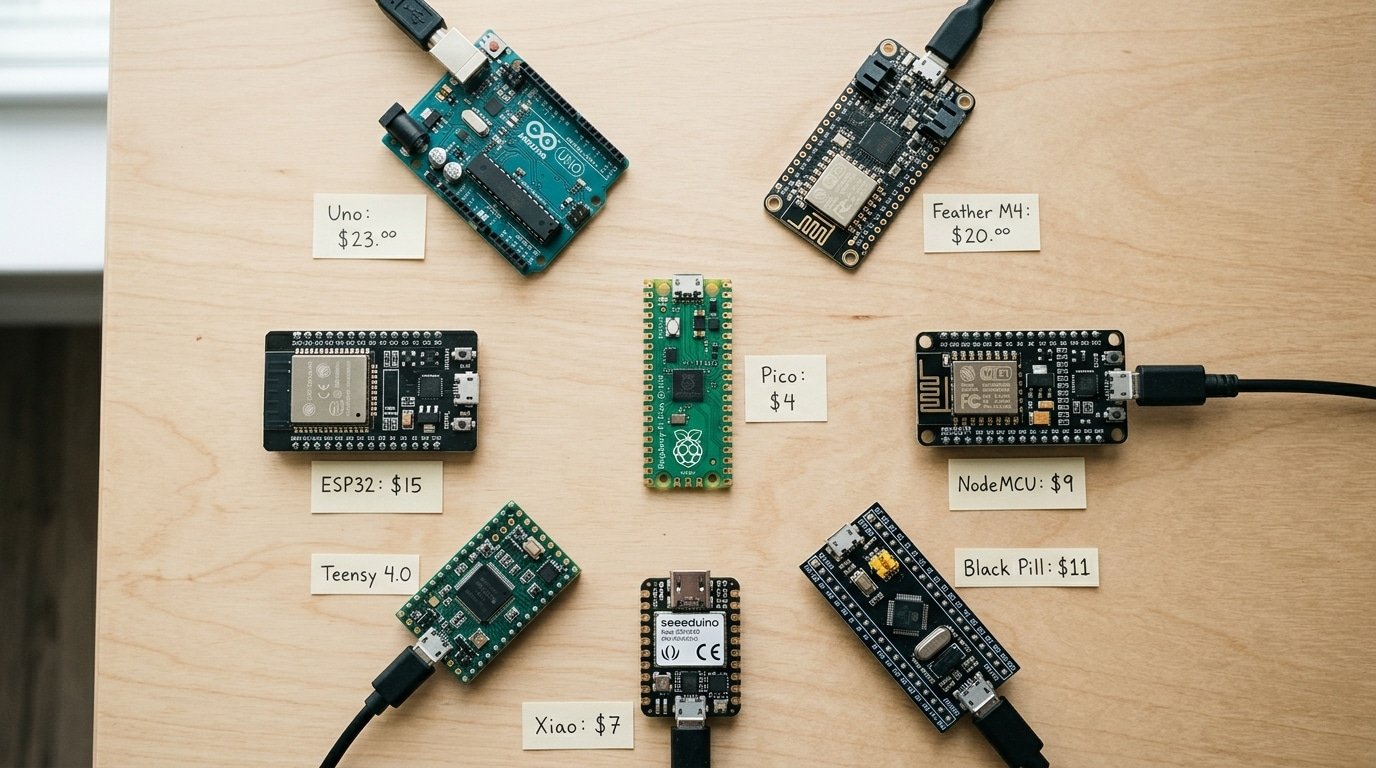
Yes, there is a cheaper alternative to Arduino, and it isn’t close. An Arduino Uno R3 runs approximately $25-28 from official channels.
An RP2040-based Raspberry Pi Pico does more for around $4, and small RP2040 “zero” boards from Chinese vendors drop to roughly $0.40 in bulk. The Uno’s value was never the chip.
It was the ecosystem.
Here is the trade you actually make. The Uno hands you a beginner-proof board with a barrel jack, a voltage regulator, and pin labels a 12-year-old can follow.
The RP2040 gives you a dual-core Arm Cortex-M0+ (a 32-bit processor versus the Uno’s 8-bit AVR), approximately 264KB of RAM, and drag-and-drop firmware flashing over USB. For pure capability per dollar, the RP2040 sits under $1 in 1,000-piece quantities while the Uno’s ATmega328P costs more and computes less.
Want the absolute floor on hardware cost? An ATtiny85 board beats them both for tiny jobs. But you lose USB programming and most of the RAM. Skip it unless your project is a single sensor and one LED.
For IoT, the answer narrows fast. The ESP32-C3 is the most popular cheap prototyping chip with built-in WiFi and Bluetooth Low Energy.
A bare module costs about $1.50, and a full dev board lands near $3. Bolting a WiFi shield onto an Uno pushes that combo past approximately $40 before you write a line of code.
The cost-per-feature math is brutal in the ESP32-C3’s favor. You get a RISC-V core, approximately 400KB SRAM, and a certified radio for roughly the price of one Uno’s shipping. That’s why it dominates hobbyist IoT in 2026.
Frequently Asked Questions
Quick answers to the questions buyers ask before spending money. Each one assumes you want working hardware, not a parts-bin trophy.
Which microcontroller is most popular for IoT prototyping?
The ESP32-C3 leads for hobby IoT in 2026. It ships built-in WiFi and Bluetooth Low Energy on a single RISC-V core, and dev boards land around $3 to $5. That single-chip radio is why makers skip separate WiFi modules entirely.
What’s the cheapest MCU with WiFi or USB?
For WiFi, nothing beats the ESP32-C3, the radio is baked in, so there’s no cheaper honest option. For USB, the RP2040 wins: it has native USB and costs roughly $0.80 to $1.20 in 1,000-unit lots. The CH32V003, by contrast, has no native USB at all.
Where do you buy cheap MCUs reliably?
Buy from DigiKey or Mouser for genuine parts and real datasheets. LCSC sells Chinese-brand chips (Puya, WCH, Padauk) cheaper, but lead-time and counterfeit risk climb. Avoid random AliExpress lots for anything you plan to scale.
Is the CH32V003 worth the toolchain hassle for beginners?
No. The CH32V003 needs a custom WCH-Link programmer and rougher tooling, so beginners burn hours fighting it. Start with an RP2040 or ESP32-C3 instead, both run from the Arduino IDE in minutes. Save the CH32V003 for when approximately $0.10-per-unit savings actually matter at volume.
Picking Your First Cheap MCU Without Regret
Buy the chip that gets you to a working blink in under an hour. For most people, that means an RP2040 board, not the absolute lowest unit price.
The cheapest microcontroller chips for prototyping reward patience and punish first-timers, so start where the friction is lowest and graduate down in cost later.
Run every candidate through three checks before you spend a dollar:
- Day-one cost, not unit cost. Add the board, programmer, and any USB-to-serial adapter. A approximately $0.08 Puya PY32 needs a separate ST-Link clone; a approximately $4 Raspberry Pi Pico needs only a USB cable.
- Toolchain you already know. If you live in the Arduino IDE, pick a chip with a maintained core. Switching to a vendor IDE costs you an evening you didn’t budget for.
- Match the chip to the project. Wi-Fi job? ESP32-C3. Pure logic and timers? An ATtiny under $1. Use the decision matrix from section six instead of defaulting to the cheapest row.
My recommended starter pick stays boring on purpose: a approximately $4 Pico running an RP2040 that costs roughly $0.80,$1.20 in 1,000-unit volume in 2026. You get dual cores, MicroPython, and C/C++ support, plus a forum answer for nearly every error you’ll hit.
Once your first prototype works, then chase the sub-approximately $0.10 parts for production. Pull up the decision matrix, drop in your real requirements, and let the table pick. Skip the regret. Build the thing.