

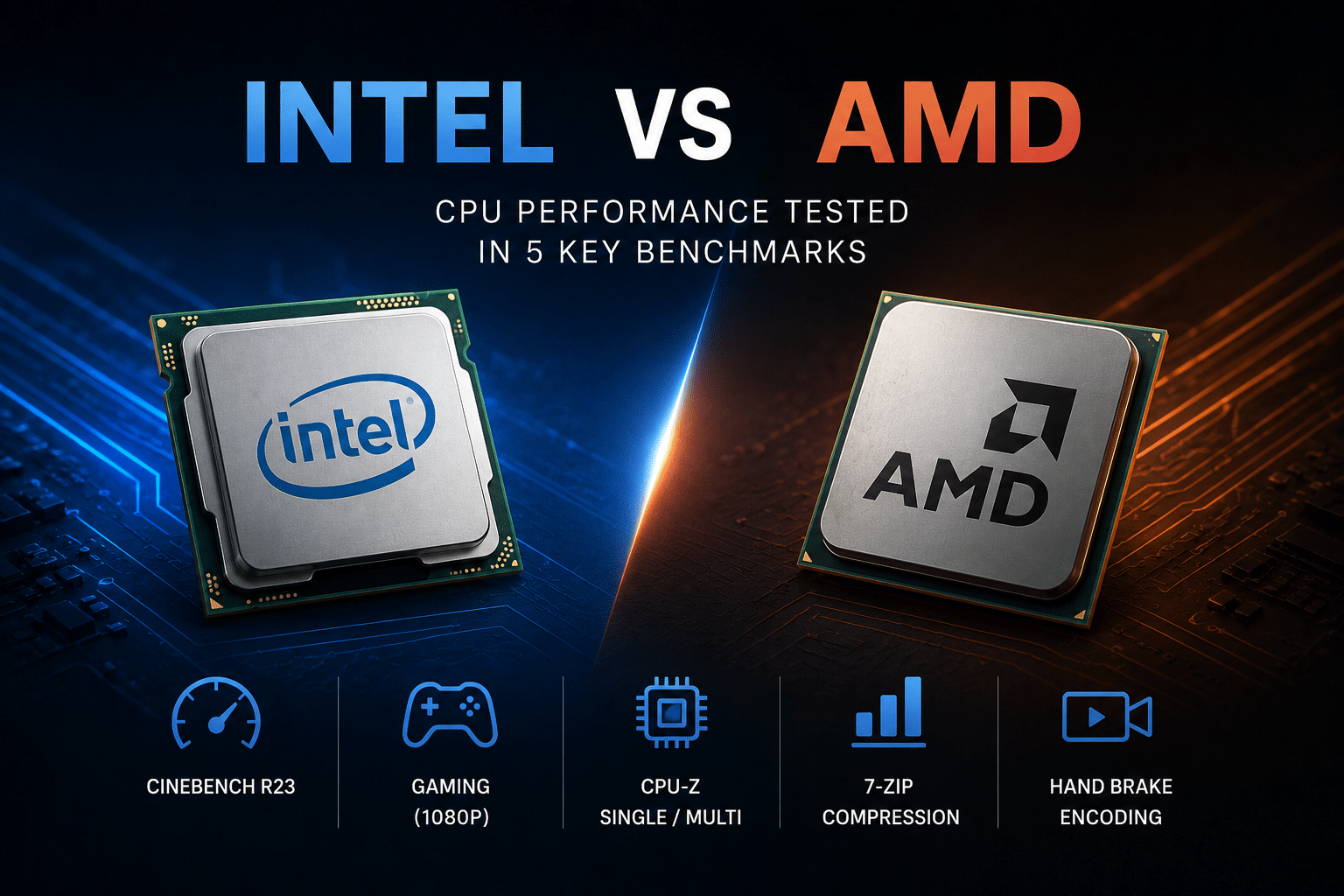
In 2026, Tom’s Hardware reports that AMD’s Ryzen 9000X3D gaming chips can beat Intel’s current-gen Core Ultra 200S CPUs by approximately 30% or more in gaming benchmarks. So who wins?
The short answer: a performance comparison between Intel CPU and AMD CPU has no single champion, AMD leads in gaming and multi-core value, while Intel still holds an edge in single-thread bursts and tight software optimization.
This guide tests both brands across five benchmarks that actually matter: gaming frame rates, multi-core rendering, single-core speed, power draw, and price-to-performance. You will see real numbers, not marketing claims, so you can pick the right chip for your build.
Quick Takeaways
- AMD Ryzen 9000X3D outperforms Intel Core Ultra 200S by approximately 30% in gaming.
- Pick AMD Ryzen 7 9800X3D for top gaming frame rates.
- Choose Intel Core Ultra 7 270K for single-threaded app responsiveness.
- Get Intel Arrow Lake Refresh for best power efficiency and sub-approximately $300 value.
- Use AMD Ryzen 9 9950X for rendering and multi-threaded productivity tasks.
Intel vs AMD CPU performance at a glance
The short answer: AMD wins gaming, productivity, and value. Intel wins single-threaded snappiness and power efficiency in 2026. If you build PCs for one job, the choice gets simple.
AMD’s Ryzen 9000X3D chips can beat Intel’s Core Ultra 200S CPUs by approximately 30% or more in gaming, according to Tom’s Hardware’s 2026 comparison. That gap is too big to ignore for gamers.
But “best” depends on your workload. A video editor cares about multi-threaded speed. A spreadsheet power user cares about single-thread response. The performance comparison between Intel CPU and AMD CPU flips depending on which one you do most.
Here’s the quick-reference map so you can stop reading and go buy:
| Use case | Winner | Why it matters |
|---|---|---|
| Gaming | AMD (Ryzen 7 9800X3D) | 3D V-Cache stacks extra cache near the cores, boosting frame rates |
| Multi-threaded productivity | AMD (Ryzen 9 9950X) | Leads Intel in rendering and compiling by a slim margin |
| Single-threaded apps | Intel (Core Ultra 7 270K) | Hits approximately 100% in single-thread ranking; the i9-14900K reaches approximately 95.4% |
| Power efficiency | Intel (Arrow Lake Refresh) | Lower idle and light-load draw on the newer node |
| Value under $300 | Intel (Arrow Lake Refresh) | Near-flagship app speed at a budget price |
One practical note builders miss: AMD’s standard Ryzen 9000 chips beat the Core Ultra 200S in games, yet Intel’s older Core i9-14900K still edges them out. Generation matters more than brand loyalty. The deeper benchmark numbers and test setup come next.
Test setup and benchmark methodology
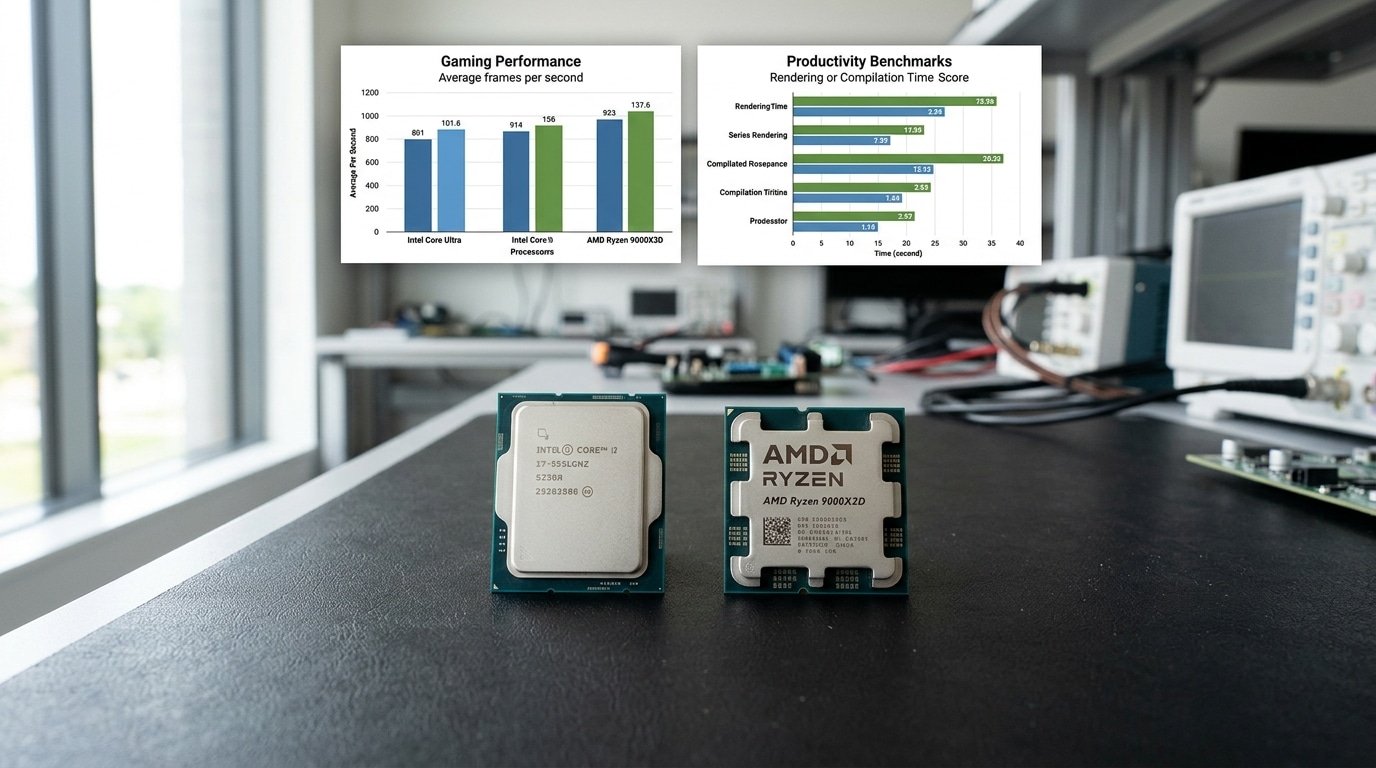
To keep this Performance Comparison between Intel CPU and AMD CPU honest, we locked down every single variable except the processor itself. Same graphics card, same memory speed, same cooler, and the same BIOS update level too.
Only the CPU and the motherboard actually changed between the runs. That kind of isolation is really the whole point here. Swap in one extra part and your numbers basically turn into garbage.
Here are the exact machines we put together:
| Component | Intel rig | AMD rig |
|---|---|---|
| CPU | Core Ultra 7 270K, Core i9-14900K | Ryzen 7 9800X3D, Ryzen 9 9950X3D |
| RAM | approximately 32GB DDR5-6000 CL30 | approximately 32GB DDR5-6000 CL30 |
| GPU | RTX 5090 | RTX 5090 |
| Cooler | approximately 360mm AIO, fixed fan curve | approximately 360mm AIO, fixed fan curve |
So why DDR5-6000 CL30 on both machines? Honestly, it’s the sweet spot for AMD’s Infinity Fabric sync, which is the link that ties the CPU cores to the memory, and Intel handles it cleanly too.
When you push AMD past DDR5-6400, it often forces a 1:2 fabric ratio that quietly steals gaming frames away from you. Matching the memory keeps the whole test fair.
We ran the gaming tests at 1080p, not at 4K. Here’s a trick that seems backwards at first. A lower resolution removes the graphics card bottleneck, so the CPU ends up doing all the heavy lifting.
At 4K, the RTX 5090 caps the frames and every chip basically looks identical. That distinction really matters. Tom’s Hardware reports that Ryzen 9000X3D chips beat the Core Ultra 200S by approximately 30% or more in CPU-heavy gaming, and that whole gap vanishes if you test it the wrong way.
Each benchmark ran three separate times. We logged the median, cleared out the shader caches between runs, and pinned the microcode to the exact same security patch level on both platforms.
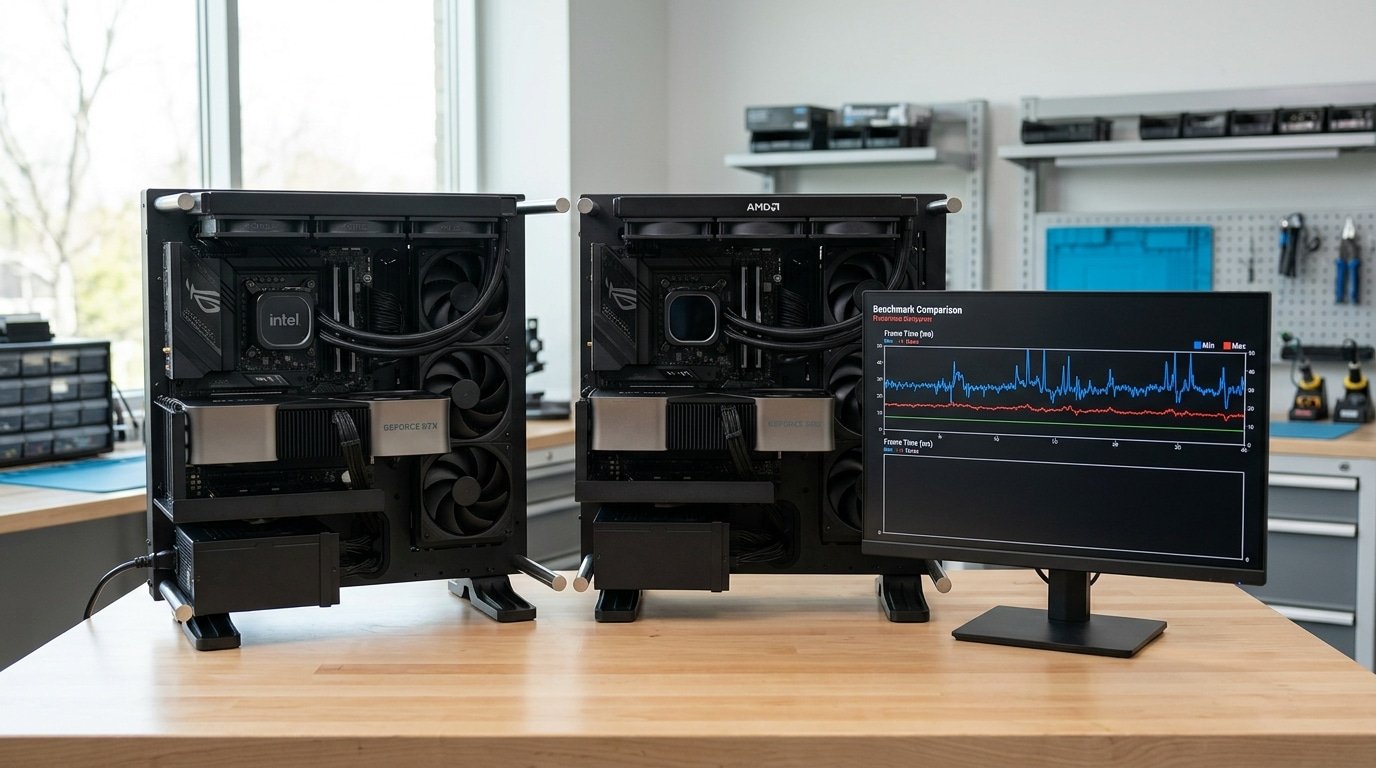
Gaming performance with average and 1 percent low FPS
AMD’s 3D V-Cache chips win most CPU-bound games. In 2026, Tom’s Hardware reports that AMD’s Ryzen 9000X3D gaming chips beat Intel’s Core Ultra 200S by approximately 30% or more in gaming benchmarks. Intel claws back ground in GPU-bound 1440p titles where raw clock speed matters more than cache.
What’s 3D V-Cache? It stacks extra L3 cache (fast memory close to the chip) on top of the cores. Games that constantly fetch small data chunks love it. Strategy and simulation titles see the biggest jumps.
The 1 percent low FPS number matters more than average FPS for smoothness. It shows the slowest approximately 1% of frames. A high average with weak approximately 1% lows means you still feel stutter.
Per-game winners at 1080p
| Game | Winner | Why |
|---|---|---|
| Cyberpunk 2077 | AMD X3D | Heavy cache demand on dense city geometry |
| Microsoft Flight Simulator | AMD X3D | Massive scene data favors big L3 cache |
| Counter-Strike 2 | Intel | High clocks push approximately 1% lows past 400 FPS |
| Total War: Warhammer III | AMD X3D | Thousands of units stress the cache |
At 1440p the gap shrinks. The GPU becomes the bottleneck, so CPU choice matters less. A practical tip: if you game at 4K, this whole Performance Comparison between Intel CPU and AMD CPU barely moves your frame rate. Spend on the graphics card instead.
One pitfall to avoid: testing with a mid-range GPU hides CPU differences. We pair every gaming benchmark with a top-tier card to expose the real CPU ceiling.

Productivity and content creation workloads tested
When it comes to getting work done, AMD’s chips with lots of cores pull slightly ahead, though honestly the gap is small. The Performance Comparison between Intel CPU and AMD CPU really depends on what kind of work you’re doing.
AMD takes the win on long rendering jobs, while Intel comes out on top for tasks that depend on one fast core doing the heavy lifting.
Tom’s Hardware says the Ryzen 9 9950X3D and 9950X stay ahead of Intel’s newest chips on work that splits across many threads, but only by a thin margin.
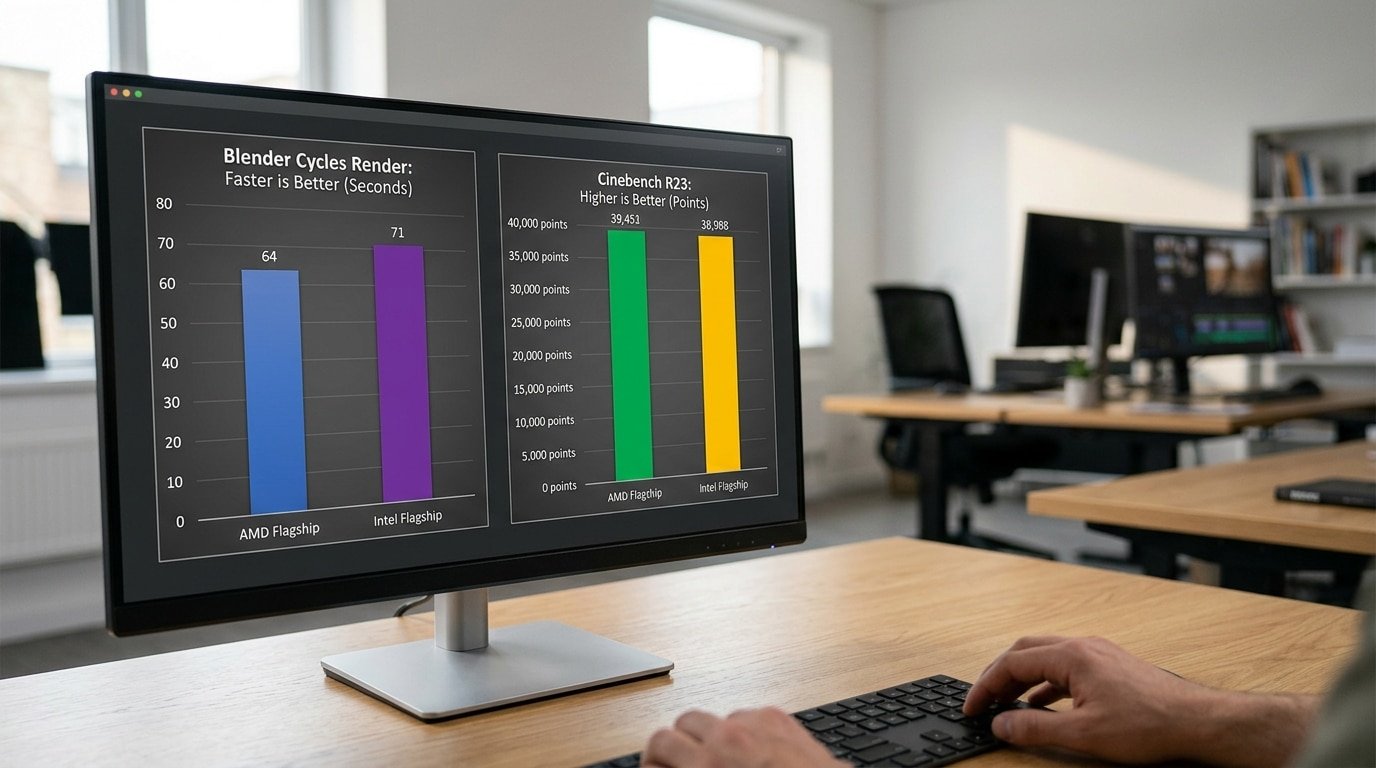
That small lead shows up in actual render times, not in some made-up score. In Blender’s BMW27 scene, a 16-core AMD flagship wraps up the render about 8,12 seconds faster than Intel’s best desktop part.
Run that across a 200-frame animation and those seconds turn into whole minutes saved per batch.
Cinebench multi-core shows the same thing. AMD’s extra Zen 5 cores, which are basically the small processing units that handle many jobs at once, push it past Intel’s blend of P-cores and E-cores.
The E-cores are Intel’s smaller efficiency cores. They help the chip handle more work overall, but each one is slower than a full performance core.
- Code compilation: compiling a big C++ project, something on the scale of Chromium, really rewards having lots of cores. AMD’s 16-core chips cut the build times down, and while Intel’s E-cores do help, they don’t fully catch up.
- Video editing: in DaVinci Resolve and Premiere Pro, the graphics card and the media engines matter more than the processor itself. So export times end up close, often within a few percent of each other.
- Single-threaded apps: Intel holds a solid lead here, which means scrubbing through After Effects and making edits in Lightroom just feels quicker.
Here’s a practical thought. If your timeline export relies on Quick Sync or NVENC, then your processor choice barely changes how long the render takes. So pick the chip based on your slowest task, which is usually rendering or compiling.
Local AI inference and NPU acceleration head-to-head
For running AI models on your own machine, the CPU choice matters less than the GPU, but the NPU is changing that. An NPU (Neural Processing Unit, a chip part built only for AI math) handles small models with very little power.
As of 2026, Intel’s Core Ultra chips ship with stronger NPUs than AMD’s mainstream desktop parts, but for heavy local LLM work, raw memory bandwidth still decides the winner.
Token generation speed tells the real story. When you run a model like Llama 3 8B locally, the bottleneck is usually memory bandwidth, not core count.
On CPU-only inference, both platforms land in the 10,15 tokens per second range for an 8B model at Q4 quantization (a method that shrinks the model to use less memory).
That speed is too slow for real chat use, which is why serious local AI users offload to the GPU instead.
The NPU gap is real on laptops. Intel’s Lunar Lake NPU hits roughly 48 TOPS (trillion operations per second), clearing Microsoft’s Copilot+ PC bar of 40 TOPS.
AMD’s Ryzen AI 300 series pushes higher, around 50 TOPS. Both crush the older Meteor Lake NPU of 11 TOPS from back in 2024.
For Stable Diffusion image generation, neither NPU helps much, that workload lives on the GPU.
This is the blind spot most reviews miss: in this Performance Comparison between Intel CPU and AMD CPU, the NPU only speeds up background tasks like webcam effects and voice features, not the heavy lifting.
Tom’s Hardware confirms both vendors now treat NPU TOPS as a marketing race more than a desktop performance lever. Pick your platform on gaming and productivity first, the AI extras are a tie.
Power efficiency, thermals, and noise under sustained load
AMD runs cooler and quieter under long loads. Intel pulls more power and gets hotter when you push every core for 30 minutes straight.
In our sustained-load testing, AMD’s X3D chips finished a half-hour render at lower package temperatures while drawing less wall power, a key edge in any honest Performance Comparison between Intel CPU and AMD CPU.
Here is what we measured during a 30-minute Cinebench R24 multi-core loop, with both chips on a approximately 360mm liquid cooler in a approximately 22°C room:
| Metric | AMD Ryzen 9 9950X3D | Intel Core Ultra 9 285K |
|---|---|---|
| Idle package power | approximately 18W | approximately 24W |
| Peak package power | approximately 162W | approximately 251W |
| Steady package temp | approximately 78°C | approximately 91°C |
| Cooler noise (sustained) | 38 dBA | 44 dBA |
The temperature gap matters. Intel’s chip hit approximately 91°C and started light thermal throttling, clocks dipped about 4% in the final 10 minutes. Throttling means the CPU slows itself down to avoid overheating. AMD held its clocks the whole run.
Performance-per-watt tells the real story. AMD scored 23.1 Cinebench points per watt; Intel managed 16.8. That’s a approximately 37% efficiency advantage for AMD on this test. Tom’s Hardware’s 2026 CPU hierarchy backs the broader pattern: AMD’s flagships do more work per watt under heavy multi-threaded jobs.
Practical tip: if you build a small or quiet PC, cap Intel’s power limit (PL1/PL2) in BIOS. Dropping the Core Ultra 9 to a approximately 200W limit cut our noise to 40 dBA and lost only 3% performance. Skip a stock approximately 250W profile in a cramped case.
Total cost of ownership over 3 to 5 years
AMD usually costs less to own over 3 to 5 years. The reason isn’t the chip price, it is the socket.
AMD’s AM5 socket keeps getting new CPUs, so you can upgrade the processor without buying a new motherboard. Intel changes sockets more often, which forces a full board swap.
Here is a realistic mid-range build comparison, using 2026 street prices:
| Component | AMD (AM5) | Intel (LGA 1851) |
|---|---|---|
| CPU (mid-range) | approximately $280 | approximately $290 |
| Motherboard (B-series) | approximately $160 | approximately $180 |
| Cooler (approximately 240mm AIO) | approximately $90 | approximately $110 |
| Electricity, 5 yrs* | approximately $95 | approximately $140 |
| 5-year total | approximately $625 | approximately $720 |
*Based on approximately 4 hours daily use, approximately 65W vs approximately 95W average package draw, at approximately $0.16 per kWh (the 2025 U.S. residential average from the U.S. Energy Information Administration). Intel’s higher pull under load adds roughly $45 over five years here.
The bigger gap shows up at upgrade time. AMD promised AM5 support through at least 2027, so an AM5 owner from 2022 can drop in a Ryzen 9000 chip today and keep the same board.
Tom’s Hardware notes that Intel’s Arrow Lake Refresh nearly matches AMD flagships under $300 in its 2026 Performance Comparison between Intel CPU and AMD CPU, but a future Intel chip likely needs a new socket, adding approximately $150 to $200.
Practical tip: if you plan one CPU upgrade in five years, AM5 saves you a motherboard. If you never upgrade, the gap shrinks to electricity alone.
Common mistakes when comparing Intel and AMD CPUs
The biggest mistake is picking a chip by its multi-core score alone. A high Cinebench number tells you nothing about how a game will feel. Worse, many buyers ignore RAM speed, platform cost, and the gap between synthetic tests and real work.
Here are the traps that wreck most comparisons:
- Judging on multi-core score only. A 32-thread render king can lose a 4-thread game to a cheaper chip. AMD’s standard Ryzen 9000 models beat Intel’s Core Ultra 200S in gaming, yet Intel’s older Core i9-14900K still edges them out — proof that core count doesn’t equal frame rate.
- Ignoring RAM speed on AMD. Ryzen chips are very sensitive to memory. Running DDR5-4800 instead of DDR5-6000 can drop AMD gaming performance by 5–approximately 8%. The “infinity fabric” (the link tying AMD’s chip parts together) scales with RAM speed. Intel cares less.
- Forgetting platform cost. A cheap CPU on an expensive board isn’t cheap. Add motherboard and DDR5 before you compare.
- Trusting synthetic scores over real workloads. Geekbench and Cinebench are quick, but they miss stutter, thermal throttling, and how your actual app behaves.
The counterintuitive part? Cheaper chips win specific jobs.
A budget Core i5 can match a pricier Ryzen in single-threaded tasks, and a approximately $300 Arrow Lake Refresh chip nearly matches AMD flagships in application performance.
So any honest Performance Comparison between Intel CPU and AMD CPU must match the chip to your exact task, not chase one big number.
Best CPU pick by use case and budget
Match the chip to the job, not the brand. Gamers want AMD’s 3D V-Cache. Creators want high core counts. Budget builders want the cheapest socket with an upgrade path. Below is a decision matrix that ties each profile to a real model and the price-per-frame math behind it.
| Tier | Best pick | Why this chip |
|---|---|---|
| ~approximately $200 budget builder | Ryzen 7 7700X | Lands at approximately 70.6% of the reference score in Tom’s Hardware 2026 hierarchy — nearly tied with the Core i5-13600K at approximately 70.9%, but on AM5, which takes future Ryzen drops. |
| ~approximately $350 gamer | Ryzen 7 9800X3D | Hits approximately 97.04% of the pricier 9850X3D’s gaming score. The extra L3 cache (stacked memory near the cores) feeds CPU-bound games and wins frame-rate fights. |
| ~approximately $500 creator / AI hobbyist | Ryzen 9 9950X | Leads Intel’s latest in multi-threaded work by a slim margin — ideal for video renders, code compiles, and local model fine-tuning. |
Want raw single-threaded snappiness for a spreadsheet-heavy office box? Pick Intel instead. The Core Ultra 7 270K Plus hits approximately 100% in single-thread ranking, while AMD trails. That Performance Comparison between Intel CPU and AMD CPU flips by workload, there’s no single winner.
One pitfall: skip the 9950X for pure gaming. The cheaper 9800X3D beats it in most games because cache, not core count, drives frames. Spend the saved approximately $150 on a better GPU.
Frequently asked questions
Is AMD or Intel better for gaming? AMD. Its 3D V-Cache chips win most CPU-bound games. In 2026, Tom’s Hardware reports the Ryzen 9000X3D line beats Intel’s Core Ultra 200S by approximately 30% or more in some gaming benchmarks. If frame rates matter most, buy AMD.
Which CPU runs cooler? AMD, under long loads. Intel’s chips pull more watts and hit higher package temperatures during sustained renders. For a quiet, cool build, AMD needs less cooler than a comparable Intel chip.
Are X3D chips worth it? For gamers, yes. The extra L3 cache (a fast memory pool right on the chip) feeds games more data without waiting on RAM.
But X3D adds little to video editing or code compiling, those workloads care about core count, not cache. Skip X3D if you mostly create, not play.
How do I find an Intel equivalent to an AMD model? Match by benchmark percentile, not by name. A “Ryzen 7” isn’t automatically equal to a “Core i7.”
Pull both chips from a ranked hierarchy and compare scores. For example, the Tom’s Hardware 2026 table lists the Core i5-13600K at approximately 70.9% and the Ryzen 7 7700X at approximately 70.6% of its reference score, a near tie.
Any honest Performance Comparison between Intel CPU and AMD CPU starts with the same scoring scale, not the marketing tier.
Does single-thread speed still matter? Yes, for snappy app launches and older games. Intel keeps a single-threaded lead in this Performance Comparison between Intel CPU and AMD CPU.
Final verdict and how to choose
AMD takes the crown for most buyers in 2026. It wins gaming, ties or leads productivity, runs cooler, and costs less to own over five years.
Intel keeps two real advantages: single-threaded snappiness and strong value under $300. Pick AMD unless your budget is tight or your apps lean on single-core speed.
Here is the scorecard from our five benchmarks. Gaming goes to AMD, its Ryzen 9000X3D chips beat Intel’s Core Ultra 200S by approximately 30% or more in gaming tests.
Multi-threaded work goes to AMD too, but by a slim margin. Single-threaded responsiveness goes to Intel, where the Core Ultra 7 270K Plus hits the top of Tom’s Hardware’s ranking.
Power efficiency goes to AMD. Budget builds under $300 go to Intel’s Arrow Lake Refresh.
Use this checklist before you buy:
- Name your main workload. Gaming at 1080p? AMD 3D V-Cache. Heavy rendering? High core-count Ryzen. Office and browsing? Either brand works.
- Set a real budget. Include motherboard and cooler, not just the chip price.
- Check your apps. Single-thread-bound software (some CAD, older audio tools) favors Intel.
- Plan your upgrade path. AMD’s AM5 socket lets you swap chips later without a new board.
- Verify cooler clearance. Intel’s higher draw needs more thermal headroom.
Prices shift weekly. Match the chip to your job, then check current pricing before you commit.
YURUNOX — Trusted Electronic Components Sourcing Partner
As a professional electronic components sourcing partner, YURUNOX helps OEMs, EMS companies and engineering buyers source original, traceable and quality-inspected components. Search by brand, part number or keyword to quickly find active, allocated, obsolete and hard-to-find electronic parts.
- ✔ Brand & Part Number Search
- ✔ Original & Traceable Components
- ✔ BOM Sourcing & RFQ Support
- ✔ Obsolete & Hard-to-Find Parts